
Your deck. Their screen.
Your phone runs it.
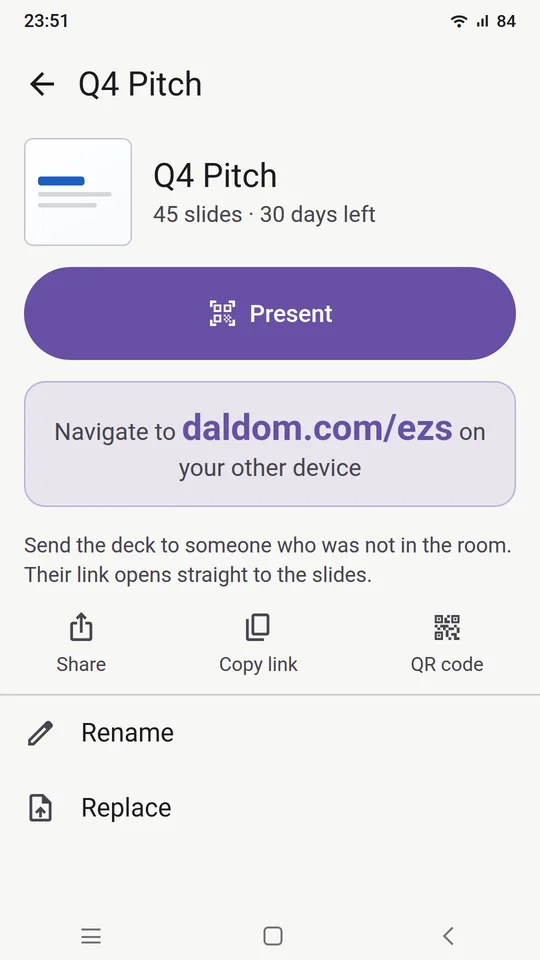
Upload a PDF or PowerPoint and get a short link like daldom.com/k7m. Open it on the screen in the room, scan the code with your phone, and present. No cables, no clicker.
Not on the App Store or Google Play yet. We are letting people in by hand while we test it.
How it works
Three steps. Then you are presenting.
- 01
Upload
Pick a PDF or PowerPoint on your phone. We scan it, turn every slide into a picture and give you a short link.
- 02
Open the link on the room's screen
Any screen with a web browser: a TV, the laptop on the projector, a meeting room display. It shows a QR code and waits.
- 03
Scan and present
Point your phone at the code. The deck comes up on the big screen and your phone becomes the remote.
While you present
The phone is the remote.
The screen is the show.
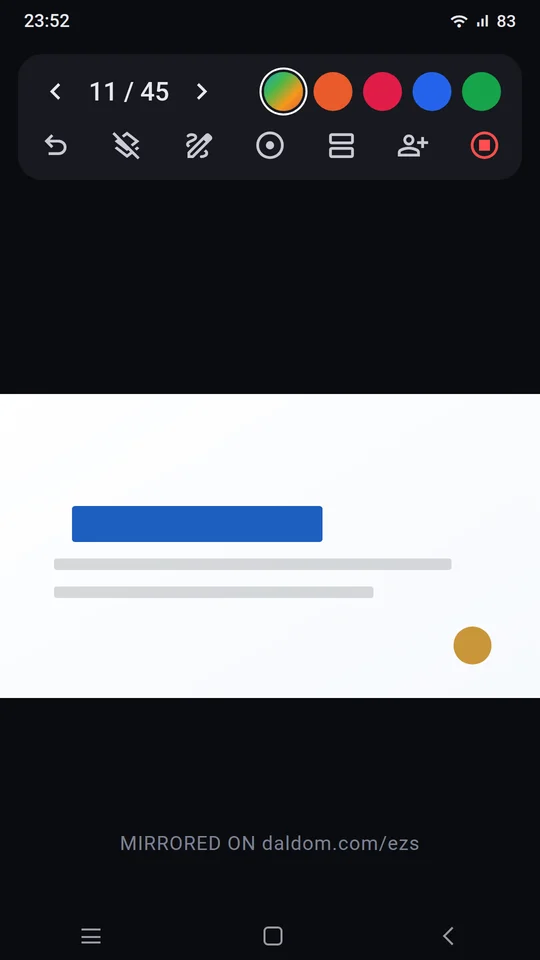
Your slides stay on the big screen. Your phone shows what only you need.
Move through the deck
Next, back, or jump straight to any slide from a grid.
Draw and point
Write on a slide with your finger and the ink shows on the screen. Or use a pointer, a spotlight or a magnifier.
Your notes, your clock
Speaker notes from your PowerPoint, the next slide in the corner, and a timer. All on your phone, none of it on the wall.
Video plays
Video inside a PowerPoint plays on the screen, and you start and stop it from your phone.
Switch decks
Change to another deck mid-meeting without walking to the screen.
S Pen on a Galaxy
On a Samsung Galaxy with an S Pen, click the pen button for the next slide and hold it for the one before. It works from across the room. Samsung phones only.
The room
The room follows along.
No app, no sign-in.
People in the meeting scan a code on the screen, and the slides open on their own phones. Good for the back row, and for anyone who cannot see the screen.
Polls
Ask a question and watch the votes come in. The room sees a count, never who chose what.
Questions
People send questions from their phones. You choose which ones go up on the screen.
Reactions
Quick reactions from the room, without anyone having to raise a hand.
Competitions
Put a question to the room and see who gets it right, fastest. You reveal the top three when you are ready.
Ten languages
The app and the room's pages come in ten languages. Each phone picks its own.
After the meeting
Everyone who asked
gets the deck.
They leave their details
A QR on the screen lets people leave their name and email on their own phone. You can also type a business card in yourself.
The deck, with your ink
When you end the session, each of them is emailed the deck with anything you drew on it.
Your list
You get a summary by email, and the list stays in the app for you to follow up.
Send it on
Email a deck and see who opened it.
Each person gets their own link. You see when they opened it, how many times, and roughly where from, as a city and a country. The first open sends you one note. Stop any link without touching the others.
We keep the city and the country, not the IP address.
Your file
We keep the pictures.
Not your file.
Scanned first
Every upload is checked for viruses before anything else happens to it.
Converted, then deleted
Each slide becomes an image. The original file is deleted as soon as that is done, and nobody can download it, you included. Keep your own copy.
Gone when you say
A deck lasts 7 to 365 days, your choice, and 30 unless you change it. Delete it any time before that.
A short link is not an open door
On its own, daldom.com/k7m shows a QR code, not your slides. The deck opens for your phone, for the people in the room, and for anyone you send a link to.
Good to know
What it does not do.
- It shows slides. It does not edit them. Make changes in PowerPoint and upload again: replacing a deck keeps the same link.
- Animations and slide transitions do not survive. A font we do not have is swapped for another, so look at the deck on a screen before the meeting.
- It needs the internet, on your phone and on the screen.
- It is built for phones. There is no iPad version.
- The S Pen controls need a Samsung Galaxy with an S Pen. Everything else works on any Android phone or iPhone.
Price
Free while we learn what this should be.
If that changes, we will tell you before it applies to you.
The rules are in the deck app terms and what we keep is in the deck app privacy page.
Want to try it?
Tell us who you are and where you present. We will get back to you with a way in.
Request access